

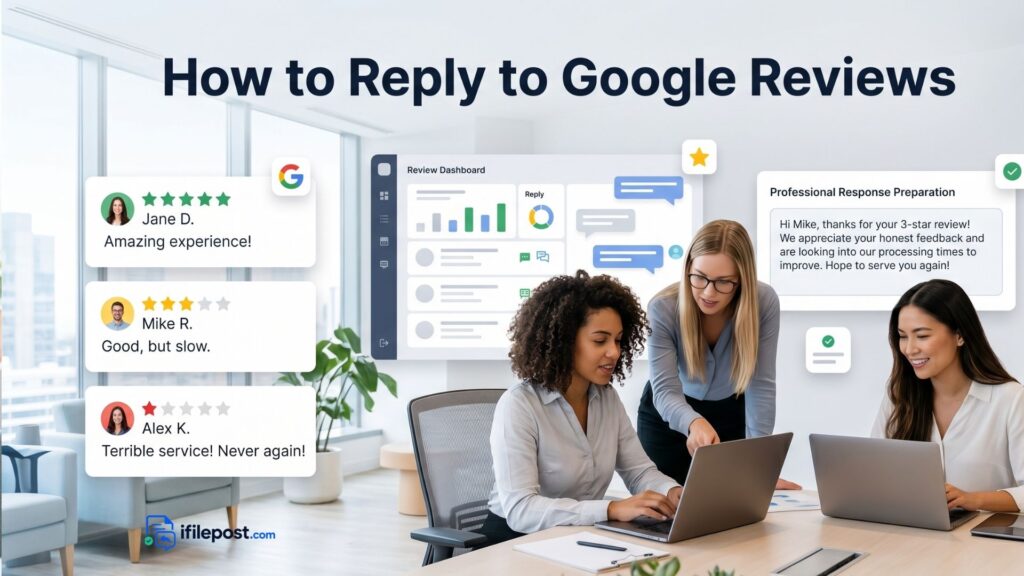
Learning how to reply to Google reviews is one of the simplest ways to make your local business look active, professional, and customer-focused. Every public reply is not only for the customer who wrote the review. It is also for future customers who are comparing your business with competitors before calling, booking, or visiting.
The best Google review replies are specific, calm, short enough to read quickly, and written in a human tone. They thank happy customers, acknowledge real concerns, avoid arguments, and show that your business pays attention. You can write replies manually, or you can use the Google Review Reply Generator on ifilepost.com to create a polished first draft faster.
Why replying to Google reviews matters
A Google review reply is a public signal. It shows that your business listens to feedback, appreciates customers, and takes service seriously. For local businesses, this matters because people often read reviews before choosing a dentist, restaurant, HVAC company, plumber, hotel, salon, clinic, lawyer, or repair shop.
A strong reply can turn a simple review into a trust-building moment. A poor reply can make the business look defensive or careless. Google also provides Google Business Profile review guidance for business owners who manage and respond to reviews from their Business Profile.
Simple rule: reply like a real person, not a robot
Many businesses make the mistake of posting the same line under every review: “Thank you for your feedback.” That is better than ignoring the review, but it does not feel personal. A better reply mentions the customer experience, the service, the product, the staff, or the issue described in the review.
For example, if a customer says the appointment was quick and the front desk was friendly, mention the appointment and the team. If a customer says the AC repair failed again, acknowledge the repair concern and invite them to contact your team. ifilepost.com is built around this idea: replies should sound like a business actually read the review.
Step-by-step: how to reply to Google reviews
1. Read the review carefully
Before writing anything, read the review from the customer’s point of view. Look for the main topic: service quality, wait time, staff behavior, pricing, delivery, repair result, cleanliness, communication, or overall experience.
2. Identify the review type
Is it positive, negative, mixed, short, detailed, emotional, or possibly fake? The type of review should decide the tone of your reply. Positive reviews need appreciation. Negative reviews need empathy and calm problem-solving.
3. Thank the customer first
Most replies should begin with a thank-you. Even when the review is negative, you can thank the customer for bringing the concern to your attention.
4. Mention one specific detail
A specific detail makes the reply feel personal. Mention the service, visit, food, appointment, repair, room, delivery, staff, or issue that the customer described.
5. Keep the reply professional
Do not argue, blame the customer, reveal private details, or write a long emotional response. Your goal is to protect trust with future customers.
6. Move sensitive issues offline
If the issue needs account details, medical details, legal details, order information, or a private conversation, invite the customer to contact your business directly.
7. End with a helpful next step
A good ending can invite the customer back, ask them to contact your manager, or say your team will review the concern internally.
Positive Google review reply example
Positive reviews deserve more than a quick thank-you. Use the customer’s compliment and reply in a warm, natural way. You can also use the Positive Review Response Generator to create a reply that fits the customer’s wording.
Customer review:
“The team was friendly, the service was fast, and everything was explained clearly. Great experience.”
Reply template:
Thank you for sharing your experience. We are glad to hear that our team was friendly, the service was fast, and everything was explained clearly. We appreciate your kind words and look forward to helping you again.
Negative Google review reply example
Negative reviews need a calm tone. Do not sound angry or defensive. Acknowledge the concern, apologize when appropriate, and invite the customer to contact you. For serious complaints, the Negative Review Response Generator can help you create a professional draft.
Customer review:
“I waited 40 minutes past my appointment time and no one explained the delay. Very frustrating.”
Reply template:
Thank you for bringing this to our attention. We are sorry for the long wait and for not communicating the delay clearly. That is not the experience we want for our customers. Please contact our team so we can better understand what happened and work to improve the process.
Mixed review reply example
A mixed review includes both praise and a concern. Your reply should thank the customer for the positive part and also address the issue. This type of reply is powerful because it shows balance.
Customer review:
“The technician was polite and fixed the issue, but scheduling the appointment was difficult.”
Reply template:
Thank you for your feedback. We are glad to hear that our technician was polite and able to fix the issue. We are sorry that scheduling the appointment was difficult, and we will review that part of the process so we can make it easier for customers in the future.
1-star review reply example
A 1-star review can feel stressful, but your public response should stay calm. Avoid arguing point by point. Acknowledge the concern, keep it short, and move the conversation offline. The goal is to show future readers that your business handles complaints professionally.
Customer review:
“Terrible service. I called twice and no one followed up.”
Reply template:
We are sorry to hear about your experience and understand how frustrating it is when follow-up does not happen as expected. Please contact us directly so we can look into this and address it with the right team. We appreciate you bringing it to our attention.
5-star review reply example
A 5-star review is a chance to reinforce what customers like about your business. Mention the compliment, thank the customer, and invite them back. For more ready-made examples, use Google Review Reply Templates.
Customer review:
“Excellent service from start to finish. I highly recommend this business.”
Reply template:
Thank you for the 5-star review and recommendation. We are happy to know you had an excellent experience from start to finish. We truly appreciate your support and look forward to serving you again.
What not to say in a Google review reply
- Do not argue with the customer publicly.
- Do not reveal private customer, patient, order, legal, or account details.
- Do not accuse the reviewer of lying unless you are following a careful internal process.
- Do not copy and paste the same response under every review.
- Do not offer incentives or rewards in exchange for reviews.
- Do not write a long reply when a short professional response is enough.
Industry-specific reply tips
Different businesses need different reply styles. A restaurant may mention food quality or delivery time. A dentist or medical clinic should stay general and avoid private details. A plumber or HVAC company should acknowledge repair quality, timing, and communication. A hotel can mention rooms, check-in, cleanliness, and guest experience.
This is why ifilepost.com has industry pages and tools for dentists, restaurants, plumbers, HVAC companies, hotels, clinics, lawyers, cleaning services, salons, and more. You can also run a Local Business Reputation Audit to check where your review process needs improvement.
How fast should you reply to Google reviews?
A good rule is to reply within 24 to 72 hours when possible. Fast replies show that your business is active. For negative reviews, do not rush emotionally. Read the review, write a calm response, and post only after checking the tone.
If you struggle to write replies quickly, save a set of templates and customize them for each review. You can start with Google Review Reply Templates and then edit the response to match the customer’s exact words.
Review reply checklist
- Did you thank the customer?
- Did you mention one specific detail from the review?
- Did you keep the tone calm and professional?
- Did you avoid private or sensitive information?
- Did you give a next step when the customer had a problem?
- Did the reply sound like your business actually read the review?
What to do after replying to reviews
Replying is only one part of reputation management. You should also ask happy customers for reviews in a simple and ethical way. Use Review Request Templates or read How to Ask Customers for Google Reviews to build a better review request process.
The more consistent your process becomes, the easier it is to build trust with future customers. Reply to reviews, request reviews at the right time, and keep improving the real customer experience behind the reviews.
Final thoughts
The best way to reply to Google reviews is to stay specific, polite, and helpful. Thank happy customers, acknowledge complaints, avoid public arguments, and move sensitive issues offline. Each reply should help future customers feel that your business is trustworthy and professional.To save time, use the Google Review Reply Generator on ifilepost.com. Paste the review, choose the rating and tone, and create a professional draft you can edit before posting.